


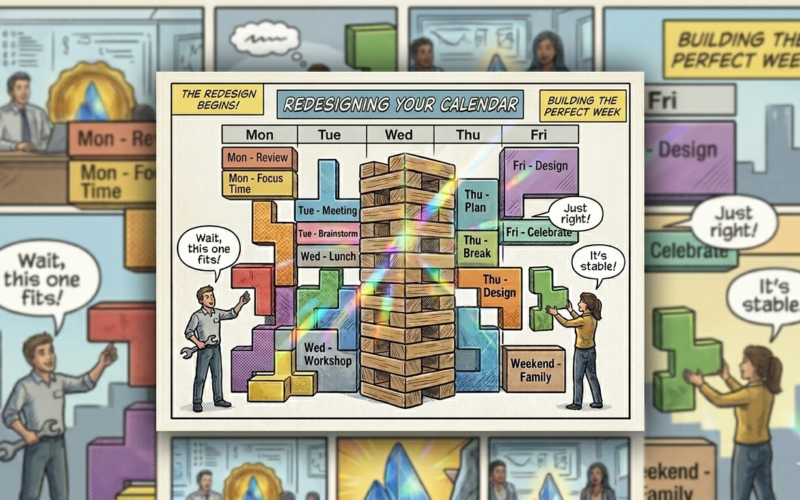
We’ve all been there. You look at your calendar on a Tuesday morning, and it looks like a game of Jenga or Tetris gone horribly wrong. Thirty minutes of “open time” here, fifteen minutes there, sandwiched between back-to-back status syncs.
By 5:00 PM, you’ve spent the day talking about work, dodging real-time Slack and email spam, and trying to escape notification fatigue. Then you open Jira or Confluence to log what you did, treating your toolstack as a mandatory logbook for work that happened elsewhere.
It’s exhausting, it’s inefficient… It’s not legit.
Atlassian highlighted this crisis in their Redesign Your Calendar playbook. The solution isn’t just downloading another time-tracking app; it’s about transforming your calendar and using your tools as a live System of Work, not a digital resting place for past activities.
Here is how you reclaim your focus time.
Step 1: Consolidate Your Meetings
The biggest enemy of deep focus is context switching. Three 30-minute meetings scattered across four hours effectively kill your focus time. It takes 20 minutes to get into a flow, so instead of letting meetings dictate your week, take control:
- Cluster your syncs by grouping essential meetings into dedicated half-days or specific days of the week (e.g., “Meeting-Free Thursdays”).
- Defend your focus blocks by blocking 2- to 3-hour chunks on your calendar for high-impact work once you clear the clutter. Treat these blocks as sacred appointments with yourself.
- Visit the free Community Learning course: Redesign your workweek
- Use the Atlassian Team Playbook: Redesign Your Calendar
To put this into perspective, when redesigning your calendar, here is the ideal breakdown to aim for a week with:
- Meetings: Maximum 30% of the week (12 hours or less)
- Focus time: 30-40% of the week (12 to 15 hours)
- Open collaboration: 10-20% of the week (4 to 8 hours)
- Respond to messages: Maximum 20% of the week (8 hours)
Step 2: Swap the “Status Sync” for a Loom Video
80% of status update meetings could be asynchronous messages. But text updates often lose nuance, leading to endless comment threads and real-time email spam.
Enter Loom.
Instead of gathering five people in a room to read slides aloud, record a quick 3-minute Loom video that walks through your progress, shares your screen, and highlights blockers.
- Your team can watch it at 1.5x speed when it fits their schedule.
- They can leave time-stamped comments directly in the video or in the linked Jira ticket.
- You just saved 30 minutes of real-time calendar space for five different people.
Step 3: Treat Atlassian as a System of Work, Not a Logbook
If your team is discussing tasks in Slack, deciding things in a ping-pong email, and then jumping into Jira just to click “Done,” you are doing it wrong. This “parallel logbook” culture creates massive notification fatigue because you are constantly chasing updates across multiple channels.
The Shift: Work should happen within the tool stack, not in parallel with it.
When you embed your Loom videos directly into Confluence pages, link your Jira issues to live documentation, and use Jira as the single source of truth, the toolstack does the heavy lifting for you.
- Stakeholders can just check the Jira board and do not need another status email.
- Conversations happen contextually on the ticket, not in a disorderly, real-time chat flood.
The Finish Line
Redesigning your calendar isn’t just about moving meetings. It’s a cultural shift from reactive availability to intentional focus. By consolidating meetings, embracing asynchronous tools like Loom, and letting the Atlassian ecosystem serve as your active workspace rather than a compliance log, you give your team their brainpower back.
